How To Manage Your Delegated Domain Access

Melody Jaimon • October 29, 2024

You can manage your domain access by following the steps below:

Step 1: Go to our link: www.lovemywebsitedesign.com.au using an incognito browser.

Step 2: Click "Create an Account".
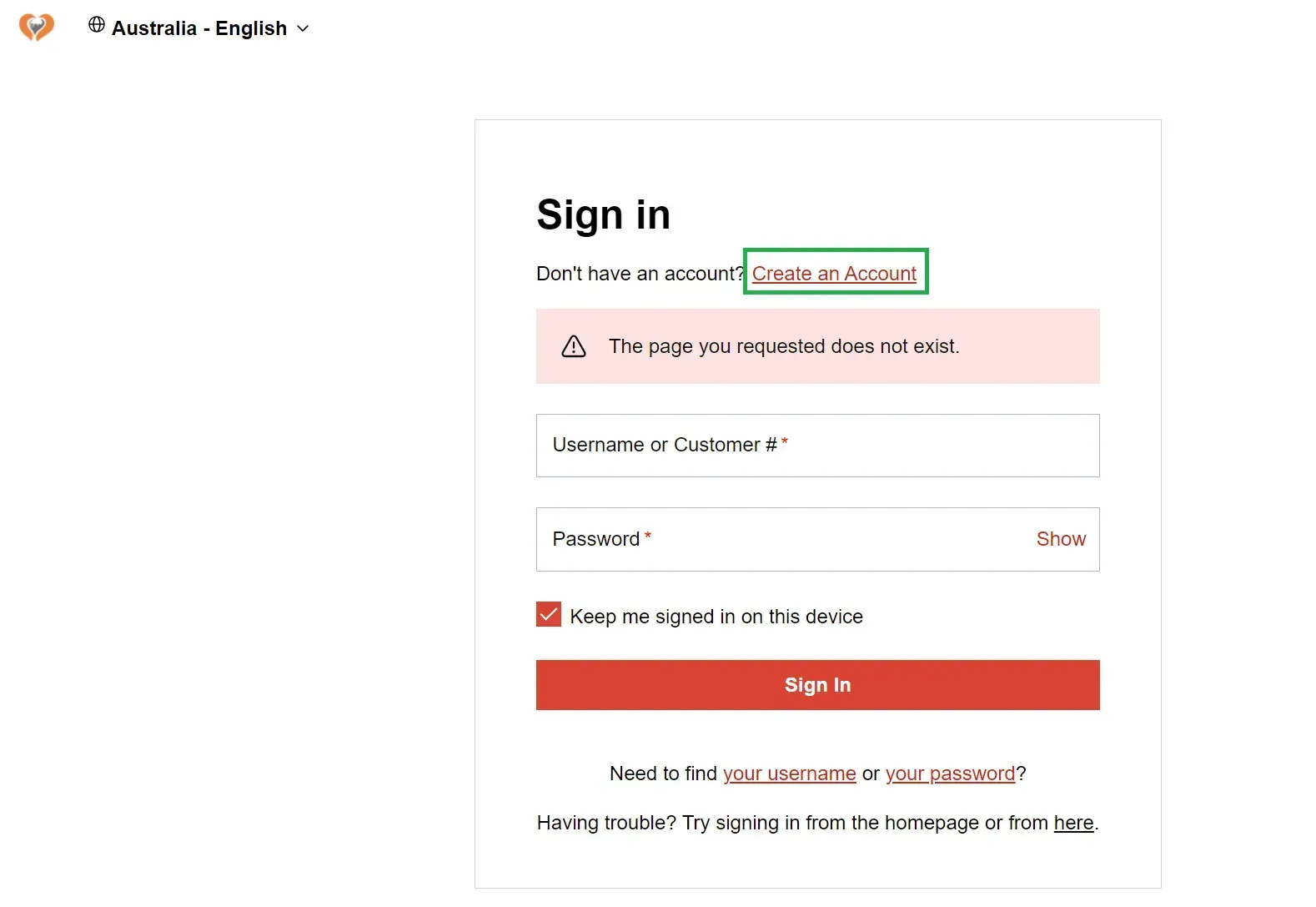
creating an account

Step 3: Create your username and password. Then click the "Create Account" button.
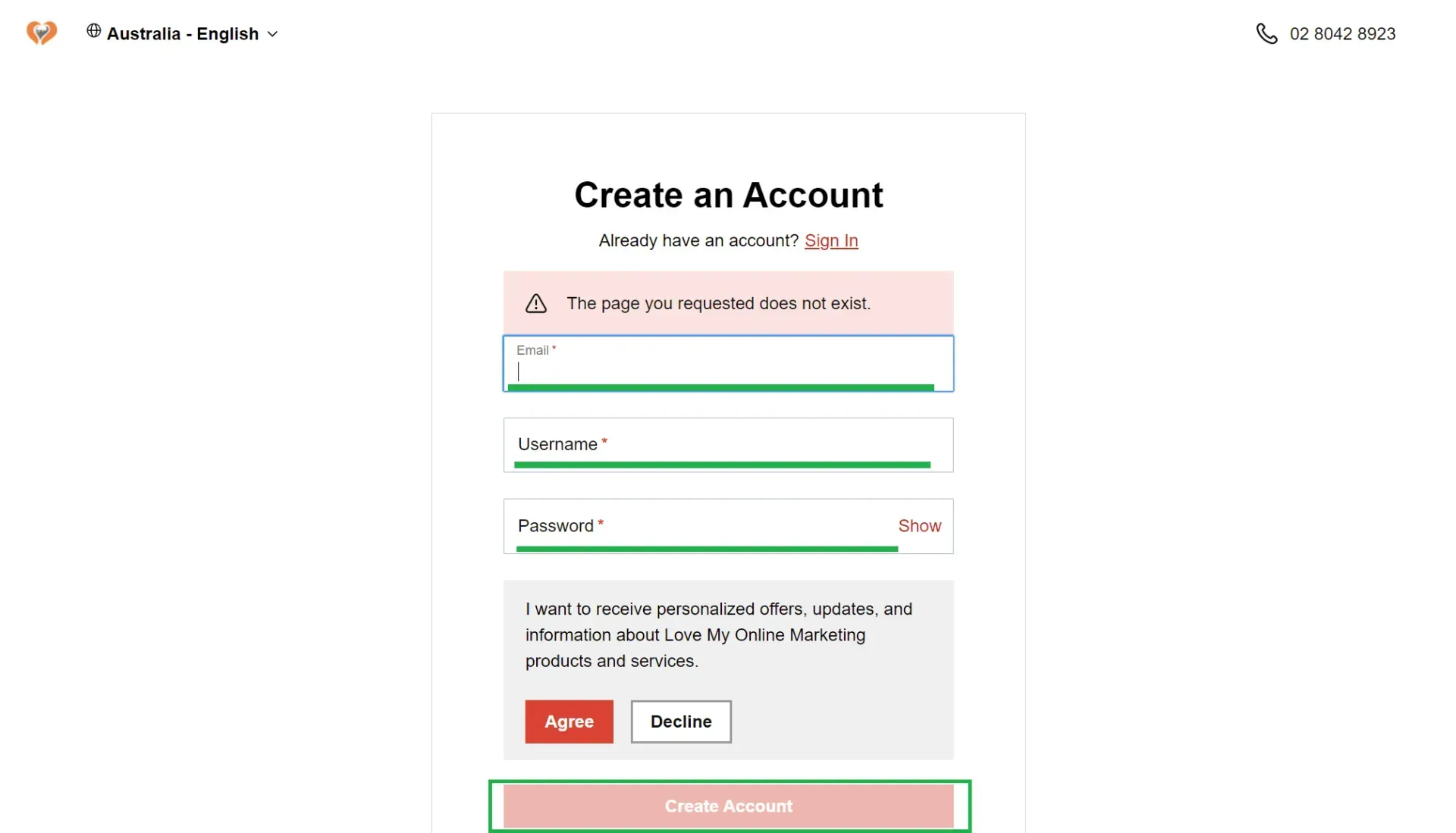
logging in

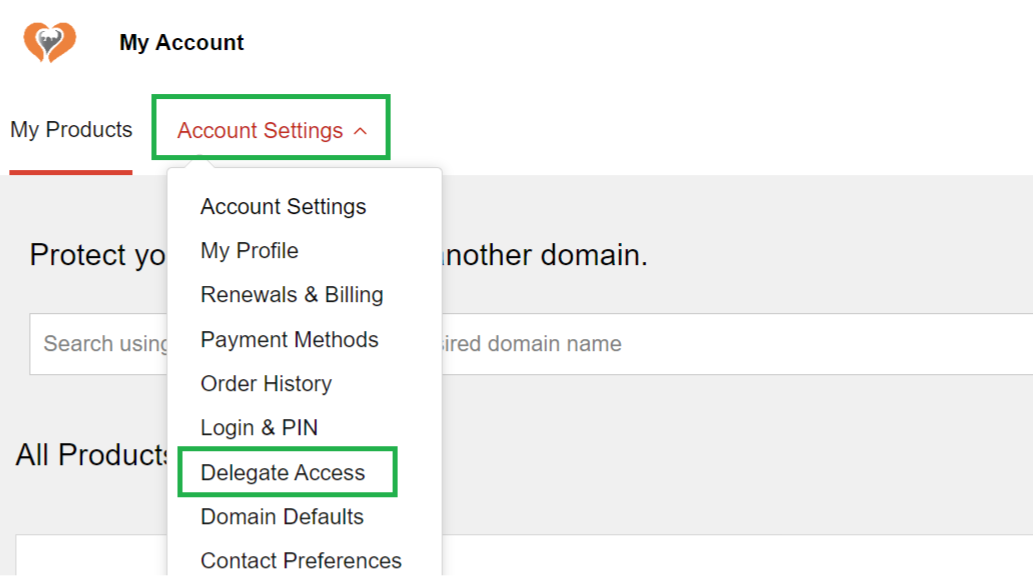
Step 4: Once logged in, navigate to Account Settings and select Delegate Access.
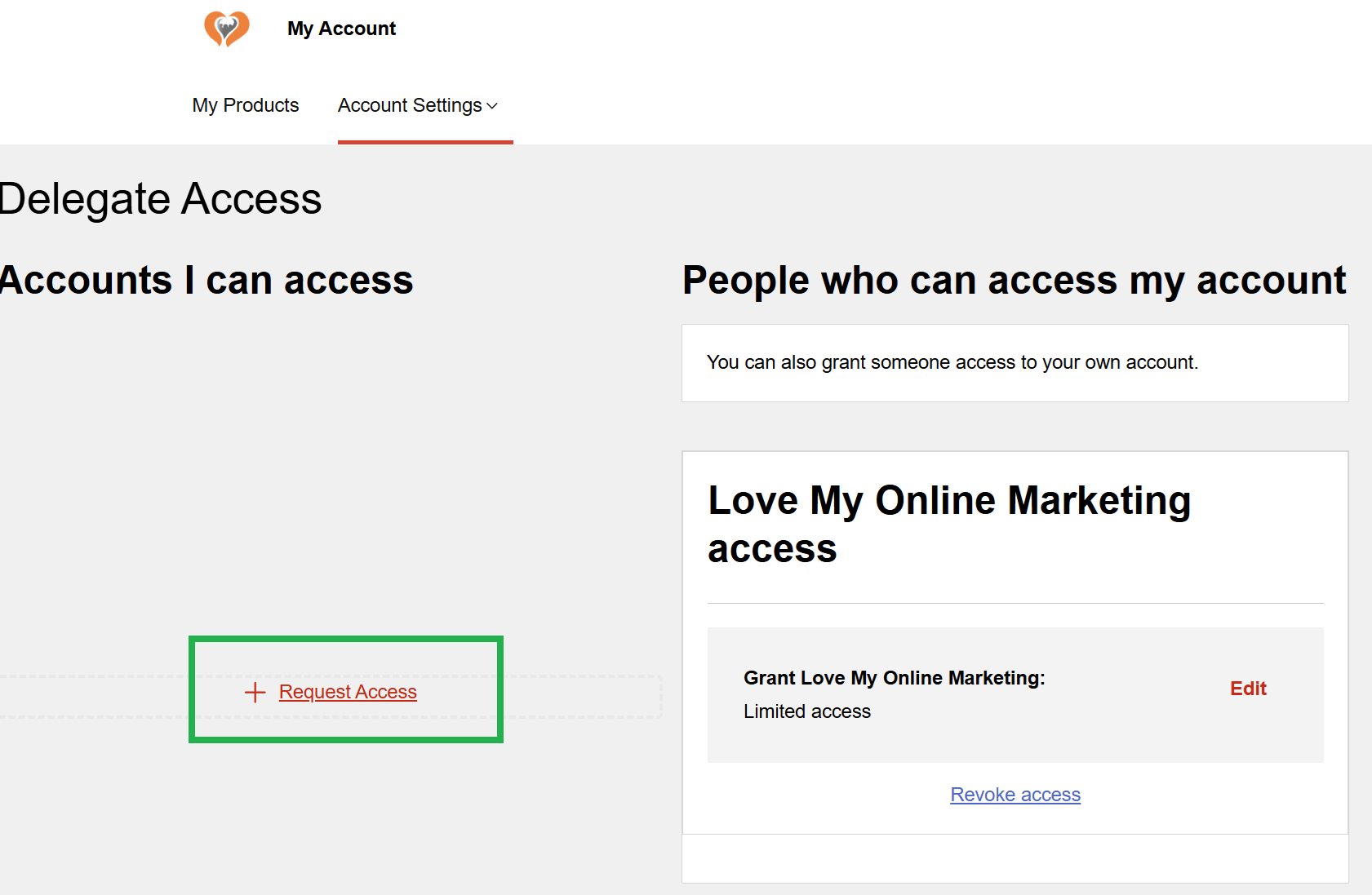
Step 5: In the "Accounts I can access section", click on + Request Access.
Step 6: Enter Melody Jaimon in the name section and her email contact@lovemyonlinemarketing.com, then choose Domains Only as the access type. Then click the Request button.
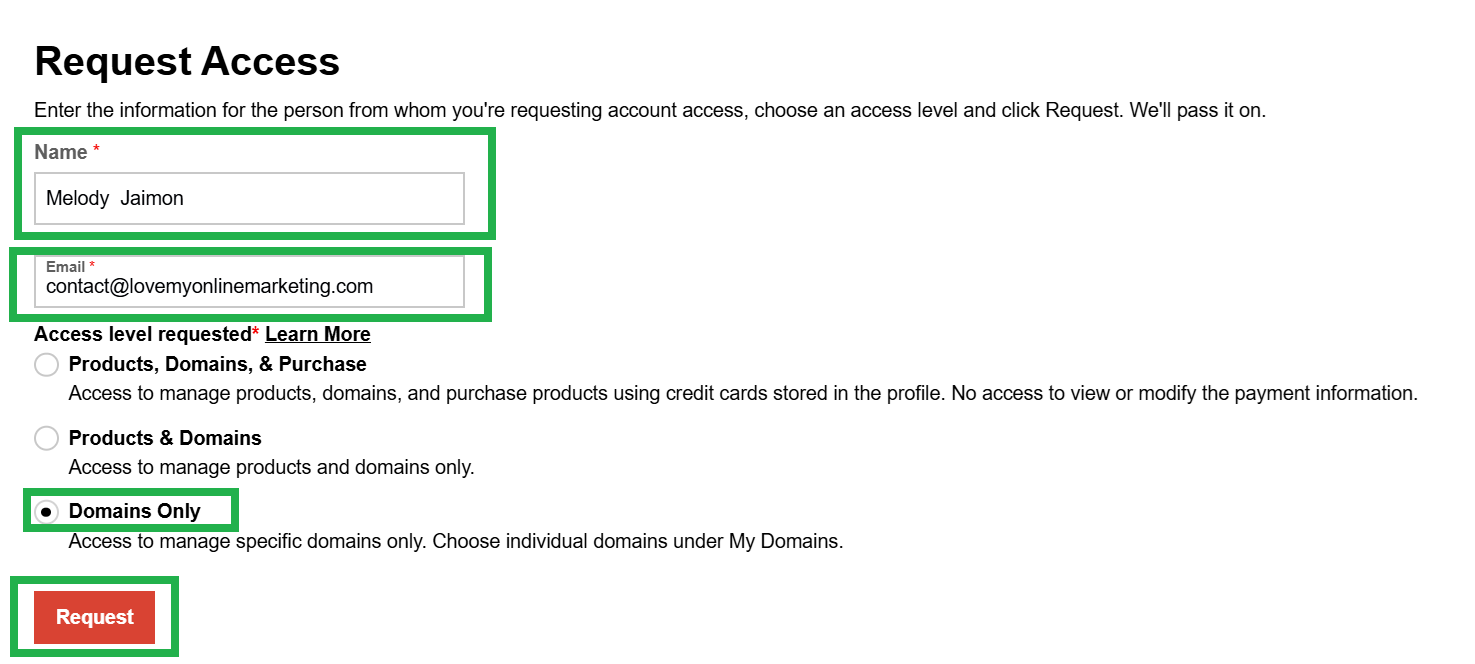
Step 7: Wait for Melody to approve your request.

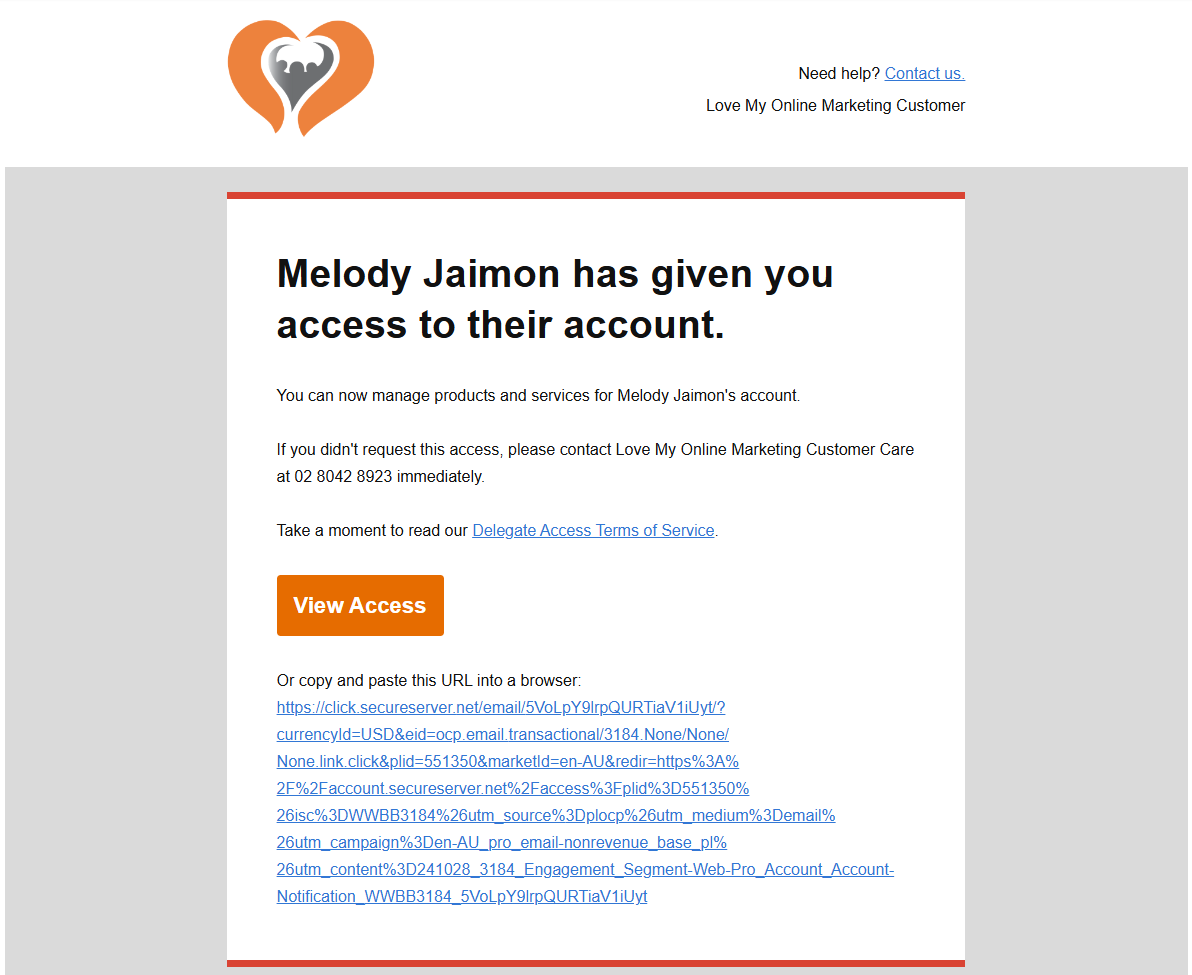
Step 8: Once approved, you'll receive an email from our team confirming your management access to your domain.
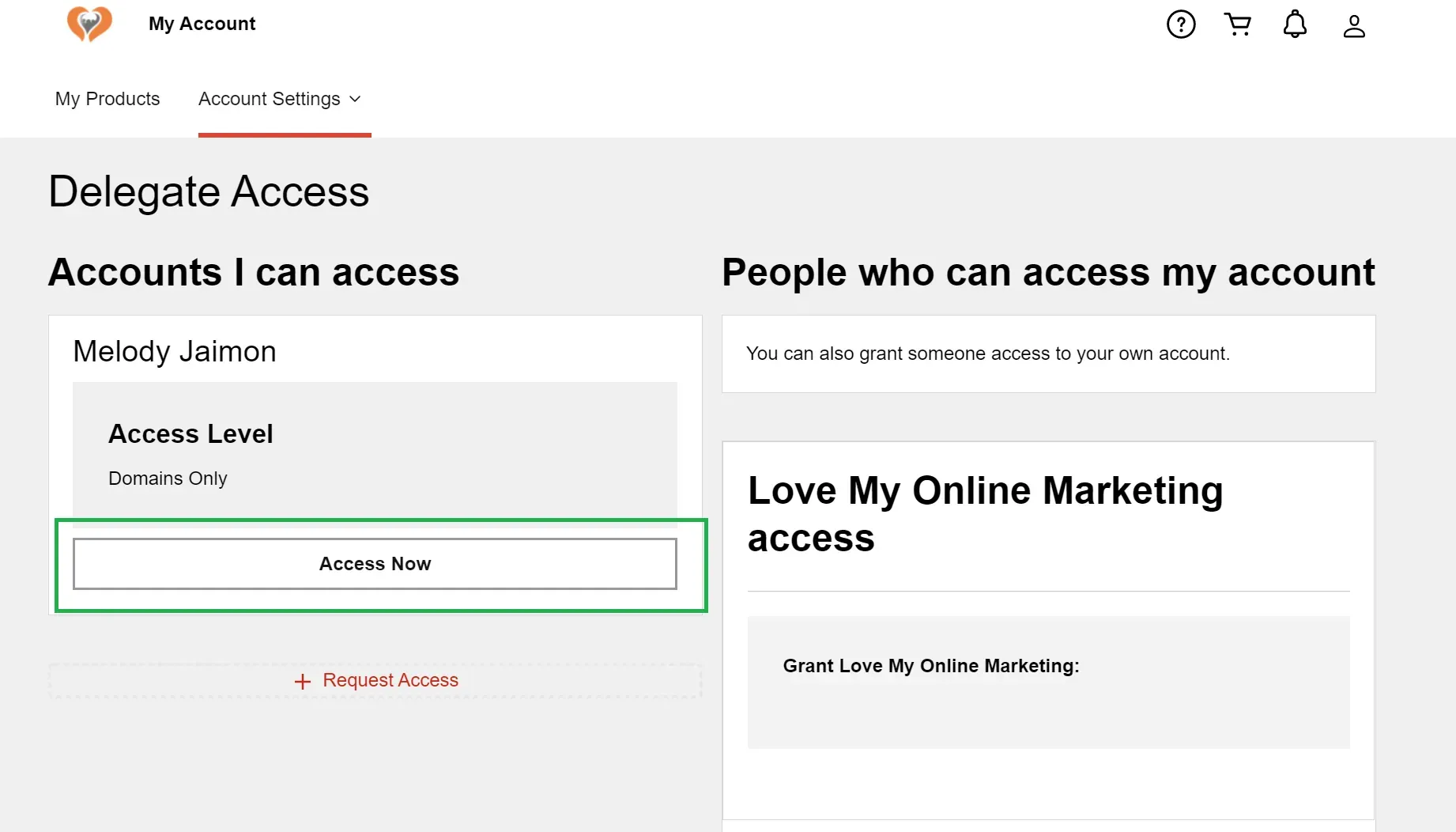
Step 9: Login to your account. Then go to Account Settings and select Delegate Access. In the "Accounts I can access" section, you should see “MelodyJaimon, Access Level: Domains Only,” then click the Access Now button to manage your domain directly.
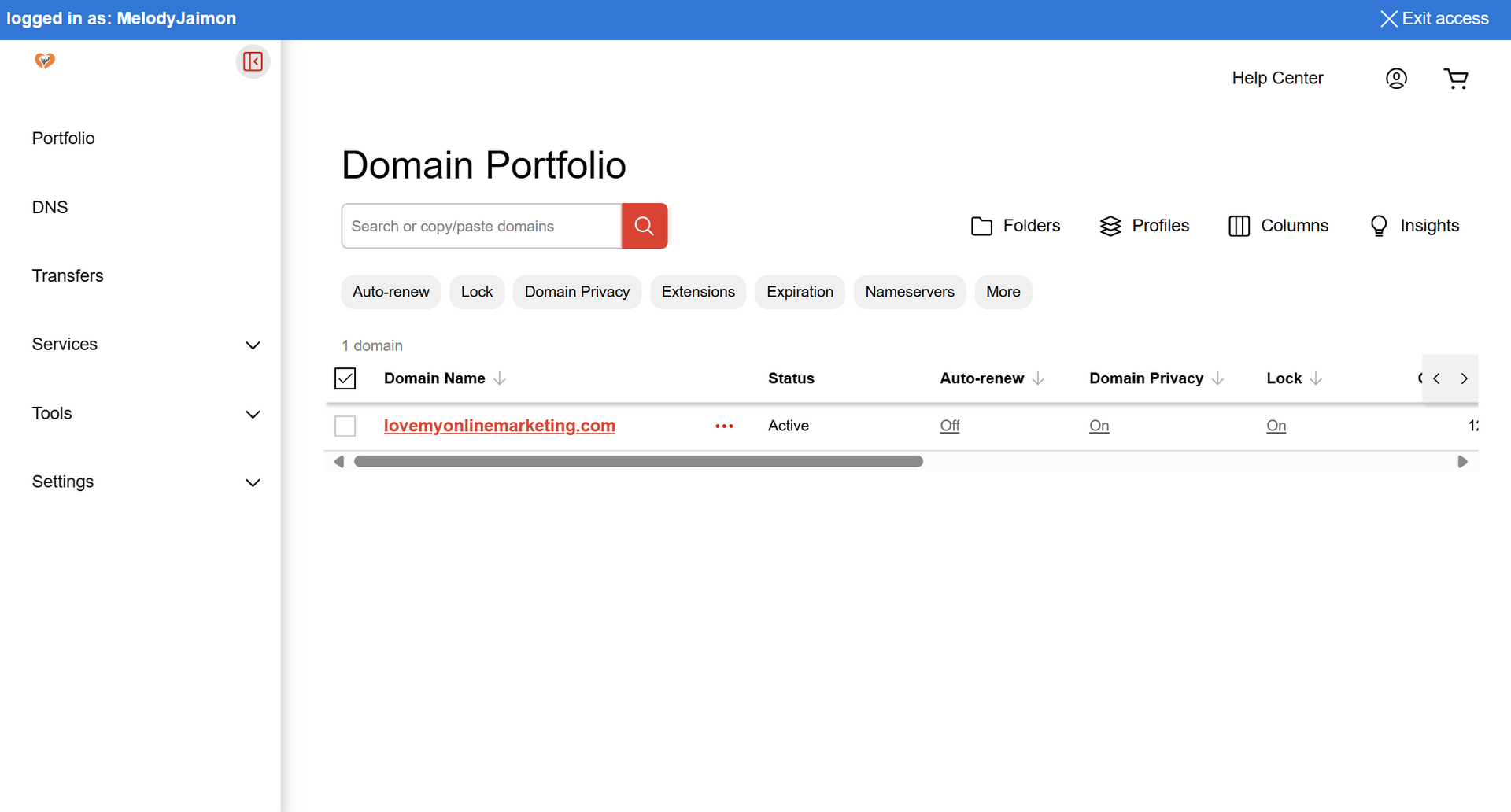
finalising the process of delegating access

See How Our Agency Can Drive Massive Amounts of Traffic to Your Website

Website Design designed for your audience and to be found on Google Searches
SEO - unlock relevant and increased SEO traffic. 

Paid Media - effective paid strategies with a clear ROI.

Get Started

Love My Online Marketing has 10+ Years of working alongside businesses and helping them grow. Discuss your options for online success from website Design and Development through to Google Marketing.

Get in Touch

Do you want more traffic and business leads?

Love My Online Marketing is determined to make a business grow. Our only question is, will it be yours?


Let's Chat
Person writing on a whiteboard filled with diagrams and notes in a bright office
By Melody Jaimon May 6, 2026
Hiring a website design agency can impact your Google rankings, enquiries and brand. Learn what to ask before signing a website contract.
Person working on laptop with search page, beside an alarm clock and coffee mug on a desk
By Melody Jaimon May 6, 2026
A new website does not rank instantly on Google. Learn what affects crawling, indexing and rankings, plus how to improve visibility faster.
Smiling woman gesturing during a video call in a bright office, with a laptop in the foreground
By Melody Jaimon May 6, 2026
Hiring one marketer does not always mean having a full marketing team. Learn the difference between in-house marketing and agency support.
A woman is stacking coins on top of each other on a table.
By Melody Jaimon April 30, 2026
In 2026, pro websites in Australia range from $3.5K to $10K+. Learn what you’re paying for, and how to avoid undercutting your business goals.
small business owner using GoHighLevel
By Melody Jaimon April 21, 2026
Revolutionise your small business with GoHighLevel's all-in-one CRM. Automate tasks, close deals, and streamline your processes. Try it today!
A shopping cart icon over a map of Australia against a blue and green gradient background.
By Melody Jaimon March 26, 2026
Scaling a Shopify store in Australia takes more than plug-ins. Custom apps improve speed, fix logistics, and support real growth.
Digital graphic of a storefront with icons representing Local SEO, floating above a laptop while a person holds a stylus.
By Melody Jaimon March 25, 2026
Learn why posting on Google Business Profile 2–3 times a week can help keep your profile active, support stronger local visibility, what types of posts to use, how the Learn more button drives website traffic, and how to schedule posts in advance.
A glowing orange hexagonal FAQ button centered among several blue hexagonal question mark icons on a dark background.
By Melody Jaimon March 25, 2026
Learn how to use FAQs to improve SEO and AEO visibility with practical, DIY-friendly tips for business owners, including where to place FAQs, how to write them, and what to avoid.
Hands typing on a laptop keyboard; focus on hands and keys.
By Melody Jaimon March 20, 2026
Most DIY sites can’t meet NDIS needs. Poor accessibility, weak SEO, and missed legal content create real risk. Read the full post.
Man in denim shirt, at a table with laptop, indoors, looking at screen, hand to chin, coffee cup nearby.
By Melody Jaimon March 13, 2026
Many NDIS providers lose trust online before anyone picks up the phone. See if your site is helping or hurting. Read the blog to find out.